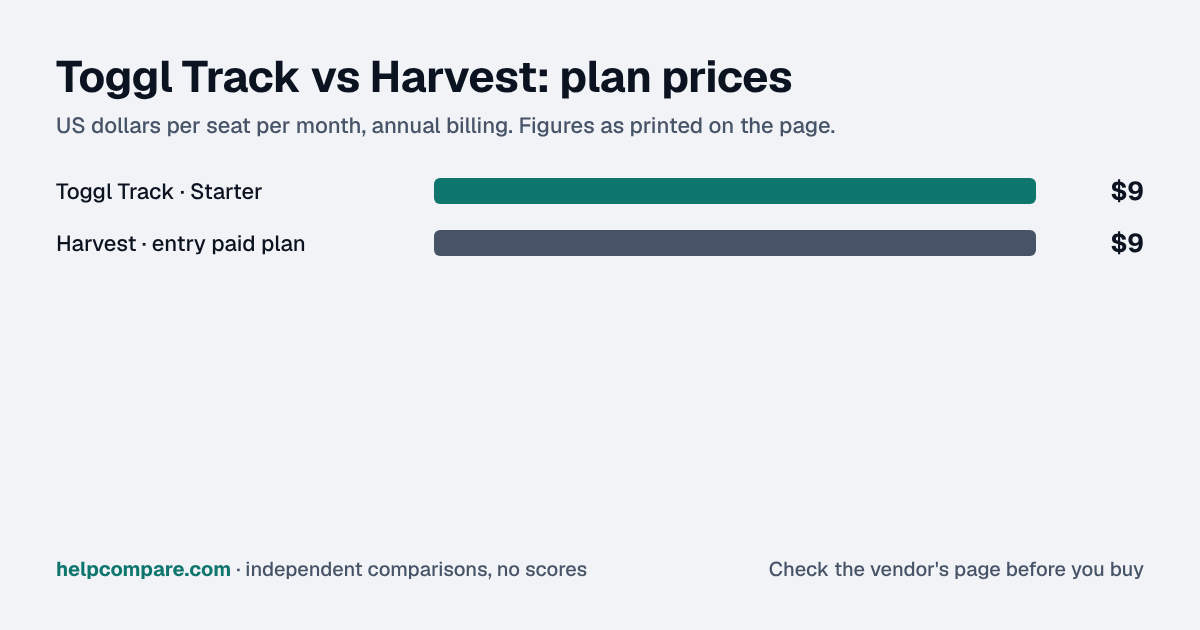
Both start at $9 a seat on annual billing, but Harvest adds usage charges it does not publish and builds invoicing into every plan. Toggl adds planning and a bigger free plan. Here is how the costs really compare.
Choose Harvest if you invoice clients from tracked time and want Stripe, QuickBooks, Xero or Gusto connected, and can get a usage quote; choose Toggl if you want a published price with no usage charges, planning tools and SSO on Premium. Both start at $9 a seat a month on annual billing, but Harvest adds unpublished usage charges on Flex billing.
Heads up: Toggl now sells Toggl Track inside its unified Toggl plans (time tracking plus planning). Prices here are the ones new customers see on toggl.com/pricing, checked September 19, 2026. Existing Toggl Track accounts keep their current plans.
| At a glance | Toggl Track | Harvest |
|---|---|---|
| Category | Time Tracking | |
| Entry price | Free for up to 3 users; Starter $9/user/mo (annual) | Free for 1 seat; Teams from $9/seat/mo (annual) plus usage charges |
| Free plan | Yes — up to 3 users | Yes — 1 seat, 2 projects |
At list price they start level: $9 a seat a month on annual billing for Toggl Starter and Harvest Teams. On monthly billing Toggl is $12 and Harvest $11. But Harvest’s price excludes usage charges on its Flex billing, which Harvest does not publish; its own help center shows an example bill moving from a seats-only $44 to $404 once usage is added. Ask Harvest for a quote at your project and client volume before comparing.
| Category | Toggl Track | Harvest |
|---|---|---|
| Free plan | Up to 3 users | 1 seat, 2 active projects |
| Entry paid plan | Starter — $9/user/mo annual, $12 monthly | Teams — from $9/seat/mo annual ($108/yr), $11 monthly |
| Usage charges | None published | Flex billing adds charges for projects, clients, tasks and invoicing above an allowance — rates not published |
| Next plan up | Premium — $16 annual, $24 monthly | Enterprise — from $14 annual, $17.50 monthly |
| Invoicing | Not listed on Toggl’s plans page | Built in on every plan, with Stripe payments |
| Accounting and payroll | Not listed on Toggl’s plans page | QuickBooks Online, Xero, Stripe on Teams; Gusto sync |
| Timesheet approvals | Premium | Enterprise |
| Single sign-on / SCIM | SSO on Premium | SAML SSO on Enterprise; Harvest says it does not offer SCIM |
| Planning and PTO | Timelines, PTO and flexible hours on Starter | Time off rolling out to all accounts |
| Free trial | 30 days | 30 days, no card |
Verified September 19, 2026Prices recorded from each vendor’s own pricing page. See sources
Prices in USD from toggl.com/pricing and getharvest.com/pricing; Flex billing from Harvest’s help center. All checked September 19, 2026.
Editorial assessmentToggl is a time tracker that has grown into planning and capacity. Harvest is time tracking plus invoicing and expenses, built for agencies and consultancies that bill clients by the hour.
Harvest bills Teams and Enterprise either as “Flex”, a per-seat rate plus usage-based charges for active projects, clients, tasks and invoicing above a free allowance, or as “Unlimited” with a fixed usage fee. Harvest does not publish the usage rates, the free allowances or the Unlimited price, so its per-seat prices are a floor, not a total.
Toggl publishes a per-user price with no usage charges: $9 or $16 a user a month on annual billing, or $12 and $24 monthly.
Harvest turns tracked time and expenses into invoices on every plan, takes card payments through Stripe, and syncs with QuickBooks Online and Xero on Teams and up; it also pushes hours to Gusto payroll. Toggl’s plans page lists billable rates, labor costs and profitability reports, but not invoicing.
Toggl includes single sign-on and timesheet approvals on Premium. Harvest keeps SAML SSO and approvals for Enterprise, says it does not offer SCIM, and stores data in the US only.
List prices checked September 19, 2026. Harvest’s seat prices are “starting from” rates: Flex billing adds usage charges for projects, clients, tasks and invoicing above a free allowance, and Harvest does not publish those rates, so the Harvest figure is a minimum. Taxes are not included.
You want a price you can budget exactly, planning and PTO in the same tool, or SSO and approvals without an Enterprise contract.
You bill clients by the hour and want invoices, expenses and payments in the tracker, connected to QuickBooks, Xero or Gusto, and you can get a usage quote first.
Uses your selections above. Estimate excludes add-ons, overages, and negotiated discounts.
Both offer 30-day trials. If you are leaning to Harvest, ask for your Flex usage estimate before the trial ends.
How Toggl Track and Harvest compare on compliance reports, sign-in controls, offline access and the setup details that matter for remote, hybrid and in-office teams. Every value links to the vendor page it came from.
| What we checked | Toggl Track | Harvest |
|---|---|---|
| Security & compliance | ||
| SOC 2 report | SOC 2 Type IIsource | Not published |
| ISO/IEC 27001 | Certifiedsource | Not published |
| Other certifications | Not published | PCI DSS (merchant certificate)source |
| HIPAA (BAA) | Not published | Not published |
| GDPR data processing agreement | DPA offeredsource | DPA offeredsource |
| Single sign-on (SAML/OIDC) | YesPremiumsource | YesEnterprisesource |
| SCIM user provisioning | Not published | Nosource |
| Two-factor authentication | Yessource | YesEnforcement: Teamssource |
| Admin audit log | YesPremiumsource | YesEnterprisesource |
| Data residency choices | Not published | US onlysource |
| Encryption | Encryption in transit and at rest; TLS; hosted on Google Cloud Platformsource | TLS 1.2/1.3 in transit; backups AES-256 at rest; attachments encrypted at rest on Amazon S3source |
| Self-hosting option | Not published | Cloud onlysource |
| Offline access | ||
| Offline mode | Works offlineThe Windows and macOS desktop apps track and edit time offline and sync when reconnected; the web app works offline only on the Timer page, with reports and settings unavailable.source | Works offlineThe iPhone and Android apps track time and log expenses offline and sync when reconnected; the browser and desktop apps need an internet connection, though a running timer keeps running.source |
| Desktop apps | Windows, macOSsource | Windows, macOSsource |
| Mobile apps | iOS, Androidsource | iOS, Androidsource |
| Offline limits | Web app offline mode covers time tracking on the Timer page only, for a limited time; logging out of a desktop app deletes unsynced entries.source | Offline works only in the mobile apps; browser and desktop apps require a strong internet connection.source |
| Remote, hybrid & in-office | ||
| IP allowlisting | Not published | Not published |
| Device & session controls | Not published | Not published |
Their seat prices start level at $9 a month on annual billing, but Harvest adds usage charges on Flex billing that it does not publish, so Harvest usually costs more than its seat price. Toggl’s published price has no usage charges.
A per-seat rate plus usage-based charges for active projects, clients, tasks and invoicing above a free allowance. The alternative, Unlimited, charges a fixed usage fee. Harvest does not publish either rate.
Yes. Toggl’s help center documents a Harvest importer on paid plans that brings over clients, projects, tasks, billable rates and the past 12 months of time entries.
Toggl’s current plans page lists billable rates and profitability reports but not invoicing. Harvest includes invoicing on every plan.
Toggl Premium ($16 a user a month, annual) or Harvest Enterprise (from $14 a seat, annual, plus usage).
Step-by-step migration guides covering what transfers automatically, what doesn’t, and how to handle the gap — in both directions.
Every “best time tracker” listicle tells you why to buy. Here’s the other half: the specific conditions under which Toggl Track or Harvest is the wrong purchase for your team.
Buy Toggl Track if:
Do NOT buy Toggl Track if:
Buy Harvest if:
Do NOT buy Harvest if:
Every pricing fact, rating, AI billing model and switching guide we hold on each tool, on one page — with the date each figure was last verified.
Prices on this page were recorded from each vendor’s own pricing page on the date shown at the top of the page. Vendors change pricing often — check the live source before you buy.
Every figure is also in our open dataset (JSON and CSV, CC BY 4.0), with its source page and verification date. See how we research pricing.
Plain-language guides: the steps, what to check before you buy, common mistakes, and every tool it takes with verified prices.
Verified prices costed for your team size, a check against your must-have requirements, the questions to settle before you sign, and a source for every figure. Print it, or paste it into an email to whoever approves the spend.
Built for the leader who owns the selection, answers for the spend, drives the rollout, and lives with the results. HelpCompare covers the whole decision, not just the first step.