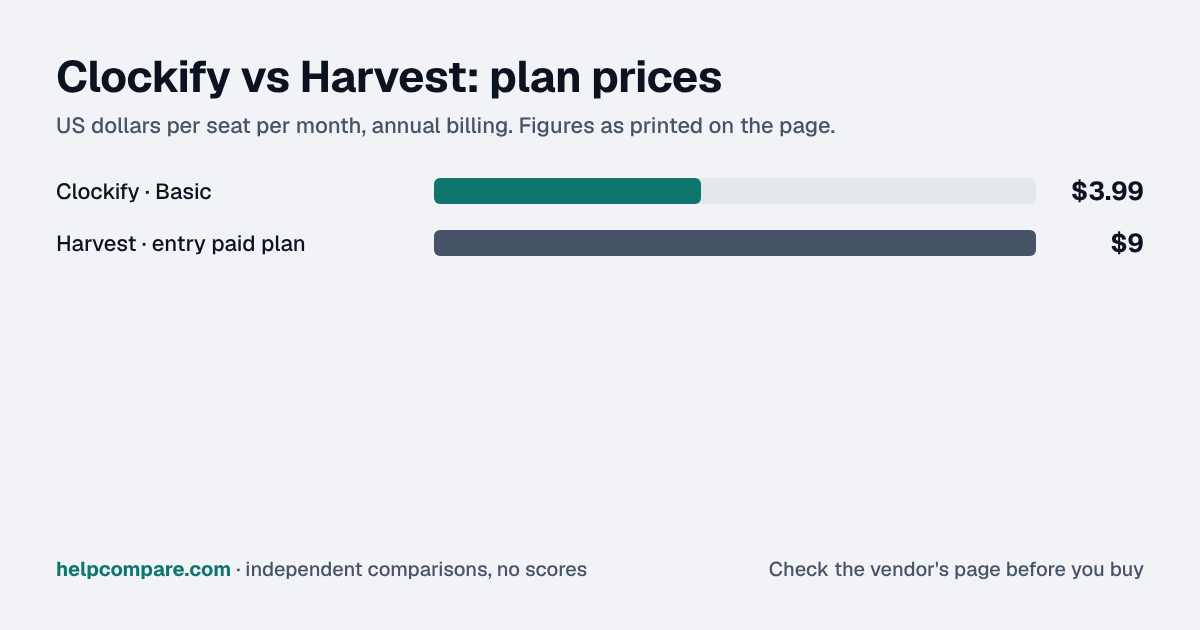
Clockify is a fraction of Harvest’s seat price, with a 5-user free plan and time-clock features. Harvest bundles invoicing and accounting sync into every paid plan, then adds usage charges. Here is the real difference.
Choose Clockify for the lowest price per seat ($3.99 to $11.99 a month on annual billing), a free plan for up to 5 users and time-clock features; choose Harvest if invoicing, expenses and accounting sync in the base plan are worth $9 a seat or more, plus usage charges Harvest does not publish.
| At a glance | Clockify | Harvest |
|---|---|---|
| Category | Time Tracking | |
| Entry price | Free for up to 5 users; Basic $3.99/seat/mo (annual) | Free for 1 seat; Teams from $9/seat/mo (annual) plus usage charges |
| Free plan | Yes — up to 5 users | Yes — 1 seat, 2 projects |
Clockify. For 10 people on annual billing, Clockify Standard (with invoicing and approvals) is $54.90 a month; Harvest Teams starts at $90 before usage charges and Harvest Enterprise (needed for approvals) at $140. Harvest’s Flex billing adds charges for active projects, clients, tasks and invoicing above a free allowance, at rates it does not publish.
| Category | Clockify | Harvest |
|---|---|---|
| Free plan | Up to 5 users | 1 seat, 2 active projects |
| Entry paid plan | Basic — $3.99/seat/mo annual, $4.99 monthly | Teams — from $9/seat/mo annual, $11 monthly |
| Invoicing | Standard ($5.49 annual) and up | Every plan |
| Timesheet approvals | Standard and up | Enterprise (from $14 annual) |
| Usage charges | None | Flex billing: projects, clients, tasks and invoicing above an allowance — rates not published |
| Accounting and payroll | QuickBooks on Standard; Xero ($4.99/mo) and QuickBooks Payroll ($6.99/mo) add-ons | QuickBooks Online, Xero and Stripe on Teams; Gusto sync |
| Time clock / GPS | Kiosk from Basic; GPS on Pro | No kiosk documented |
| Single sign-on / SCIM | Both on Enterprise | SAML SSO on Enterprise; no SCIM |
| Support | 24/7 email, chat and phone on all plans | Scheduled phone support on Teams and Enterprise |
| Free trial | 7 days of Pro, no card | 30 days, no card |
Verified September 19, 2026Prices recorded from each vendor’s own pricing page. See sources
Prices in USD from clockify.me/pricing and getharvest.com/pricing; features from each vendor’s pricing page and help center. All checked September 19, 2026.
Editorial assessmentBoth track time against clients and projects and turn it into billable reports. Clockify is priced and packaged like a utility that scales to hourly staff; Harvest is priced like a billing tool for professional services.
Clockify’s five tiers run from $3.99 to $11.99 a seat a month on annual billing, 20% below monthly. Harvest bills Teams and Enterprise either as “Flex”, a per-seat rate plus usage-based charges for active projects, clients, tasks and invoicing above a free allowance, or as “Unlimited” with a fixed usage fee. Harvest does not publish the usage rates, the free allowances or the Unlimited price, so its per-seat prices are a floor, not a total.
Harvest invoices on every plan, including Free (where invoices need Stripe to be emailed or exported), and syncs with QuickBooks Online, Xero, Stripe and Deel on Teams and up, plus Gusto. Clockify invoices from Standard, syncs with QuickBooks there, and sells Xero invoice sync ($4.99 a month) and QuickBooks Payroll ($6.99 a month) as add-ons.
Clockify offers a shared kiosk, attendance and overtime, time off, GPS, and optional screenshots, spread across its tiers. Harvest documents no kiosk. For control, Clockify puts SSO, SCIM and audit logs on Enterprise; Harvest puts SAML SSO and approvals on Enterprise and says it does not offer SCIM.
List prices checked September 19, 2026. Harvest’s seat prices are “starting from” rates and exclude Flex usage charges, which Harvest does not publish, so its figure is a minimum. Clockify add-ons (Xero, QuickBooks Payroll), kiosk-only seats and taxes are not included.
You want the lowest price per seat, a free plan for a small team, or time-clock features for hourly staff, and invoicing from Standard is enough.
You run an agency or consultancy that invoices by the hour, want Stripe payments and QuickBooks, Xero or Gusto sync in the base plan, and can get a usage quote.
Uses your selections above. Estimate excludes add-ons, overages, and negotiated discounts.
Start Clockify on its free plan and Harvest on its 30-day trial, and run the same client project through both.
How Clockify and Harvest compare on compliance reports, sign-in controls, offline access and the setup details that matter for remote, hybrid and in-office teams. Every value links to the vendor page it came from.
| What we checked | Clockify | Harvest |
|---|---|---|
| Security & compliance | ||
| SOC 2 report | SOC 2 Type IIsource | Not published |
| ISO/IEC 27001 | Certifiedsource | Not published |
| Other certifications | Not published | PCI DSS (merchant certificate)source |
| HIPAA (BAA) | Not published | Not published |
| GDPR data processing agreement | DPA offeredsource | DPA offeredsource |
| Single sign-on (SAML/OIDC) | YesEnterprisesource | YesEnterprisesource |
| SCIM user provisioning | YesEnterprisesource | Nosource |
| Two-factor authentication | Not published | YesEnforcement: Teamssource |
| Admin audit log | YesEnterprisesource | YesEnterprisesource |
| Data residency choices | US, EU, UK, AustraliaProsource | US onlysource |
| Encryption | 256-bit SSL/TLS in transit; hosted on AWSsource | TLS 1.2/1.3 in transit; backups AES-256 at rest; attachments encrypted at rest on Amazon S3source |
| Self-hosting option | Not published | Cloud onlysource |
| Offline access | ||
| Offline mode | Works offlineMobile and desktop apps track time offline (the Windows app has a 'Force offline' mode) and sync automatically once back online.source | Works offlineThe iPhone and Android apps track time and log expenses offline and sync when reconnected; the browser and desktop apps need an internet connection, though a running timer keeps running.source |
| Desktop apps | Windows, macOS, Linuxsource | Windows, macOSsource |
| Mobile apps | iOS, Androidsource | iOS, Androidsource |
| Offline limits | Available on all plans including Free.Freesource | Offline works only in the mobile apps; browser and desktop apps require a strong internet connection.source |
| Remote, hybrid & in-office | ||
| IP allowlisting | Not published | Not published |
| Device & session controls | Not published | Not published |
| Office & room hardware | Clockify's kiosk turns a shared device into a clock-in/clock-out station (PIN from Basic, QR code from Standard, photo capture on Pro); kiosk-only 'limited' users are billed at a lower seat rate.source | — |
Yes. Clockify costs $3.99 to $11.99 a seat a month on annual billing. Harvest Teams starts at $9 a seat and Enterprise at $14, before usage charges that Harvest does not publish.
Yes, by CSV. Clockify’s help center has a Harvest migration guide: export a CSV from Harvest, match Clockify’s columns and import it in Workspace settings. Importing time entries needs a paid plan or trial.
Yes, for 1 seat and 2 active projects. Clockify’s free plan covers up to 5 users.
Harvest includes invoicing and Stripe payments on every plan and QuickBooks and Xero sync on Teams. Clockify invoices from its Standard plan and sells Xero sync as an add-on.
Clockify offers optional screenshots and activity monitoring on Pro. Harvest documents idle detection in its desktop apps but no screenshots.
Step-by-step migration guides covering what transfers automatically, what doesn’t, and how to handle the gap — in both directions.
Every “best time tracker” listicle tells you why to buy. Here’s the other half: the specific conditions under which Clockify or Harvest is the wrong purchase for your team.
Buy Clockify if:
Do NOT buy Clockify if:
Buy Harvest if:
Do NOT buy Harvest if:
Every pricing fact, rating, AI billing model and switching guide we hold on each tool, on one page — with the date each figure was last verified.
Prices on this page were recorded from each vendor’s own pricing page on the date shown at the top of the page. Vendors change pricing often — check the live source before you buy.
Every figure is also in our open dataset (JSON and CSV, CC BY 4.0), with its source page and verification date. See how we research pricing.
Plain-language guides: the steps, what to check before you buy, common mistakes, and every tool it takes with verified prices.
Verified prices costed for your team size, a check against your must-have requirements, the questions to settle before you sign, and a source for every figure. Print it, or paste it into an email to whoever approves the spend.
Built for the leader who owns the selection, answers for the spend, drives the rollout, and lives with the results. HelpCompare covers the whole decision, not just the first step.