Skip to content
Start here
Cloud Storage

Dropbox Business vs Google Workspace: Which Storage Plan Fits Your Team in 2026?

Dropbox Business is a focused file-sync-and-share product with a large pooled allowance and no seat minimum. Google Workspace bundles a smaller per-person storage pool with Gmail, Docs, Sheets and Meet. Here is what each actually costs.

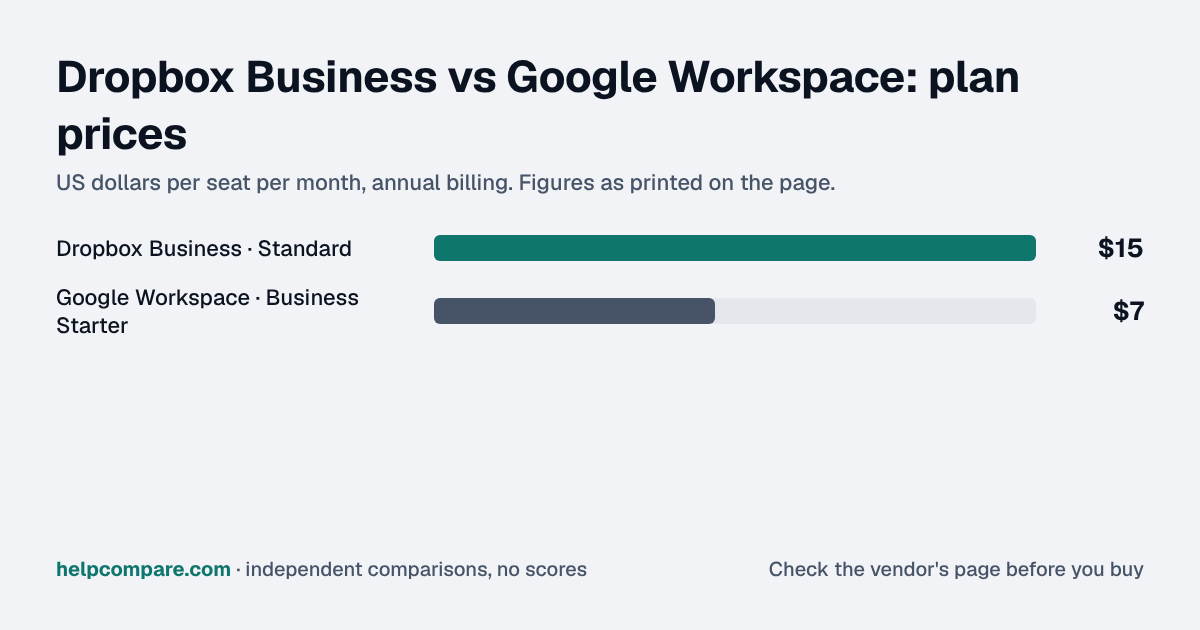
Dropbox Business logoStandard $15/user/mo (annual), no seat minimum

Dropbox Business

VS
Google Workspace logoBusiness Starter $7/user/mo (annual commitment)

Google Workspace

Bottom line Editorial assessment

Which is better, Dropbox Business or Google Workspace?

Choose Google Workspace if you want one bill for email, office apps and storage; choose Dropbox Business if you need a large pooled storage allowance and nothing else. Workspace Business Starter is $7/user/mo (30GB pooled/person) versus Dropbox Business Standard's $15/user/mo (3TB pooled team-wide).

Quick verdict: Google Workspace Business Starter is $8 a seat cheaper ($7 vs $15) and bundles Gmail, Docs, Sheets, Slides and Meet on top of its storage — Dropbox Business Standard is pure file storage and sharing, nothing else. The tradeoff is pool size: Dropbox starts a team at 3TB pooled storage from the first user, while Workspace pools a smaller 30GB per person. A small team that needs a large shared drive but already has email and office apps elsewhere is the clearest case for paying more for Dropbox; a team that wants one bill for email, apps and storage should start with Workspace.
Verified data

Dropbox Business vs Google Workspace: quick facts

At a glanceDropbox BusinessGoogle Workspace
CategoryCloud Storage
Entry priceStandard $15/user/mo (annual), no seat minimumBusiness Starter $7/user/mo (annual commitment)
Free planNo free plan for Dropbox Business — Dropbox Basic (personal, 2 GB) is a separate productNo free plan for Google Workspace — a 14-day trial is offered

Is Dropbox Business cheaper than Google Workspace?

Google Workspace Business Starter, by $8 a seat a month: $7 against Dropbox Business Standard’s $15. But Workspace’s $7 already includes Gmail, Docs, Sheets, Slides and Meet — Dropbox Business Standard is a single-purpose storage and sharing product with no office suite or email bundled in, so the two are not quite apples-to-apples at that price gap.

Verified data

Dropbox Business vs Google Workspace at a glance

CategoryDropbox BusinessGoogle Workspace
Entry priceStandard $15/user/mo (annual), no seat minimumBusiness Starter $7/user/mo (annual)
Storage3TB pooled team-wide, from the first user30GB pooled per person
Email and office appsNot included — storage and sharing onlyGmail, Docs, Sheets, Slides, Meet included
Seat minimumNoneNone published
File recovery window180 days (Standard)Not a core Drive feature at this tier
Admin/security controlsStandard admin console, device approvalsAdmin console, basic security controls
Built forTeams that just need shared file storage and syncTeams that want one bill for email, apps and storage
Higher tierAdvanced $24/user/mo (3-user min): SSO, e2e encryptionBusiness Standard $14/user/mo: 2TB pooled/user, recording

Verified September 23, 2026Prices recorded from each vendor’s own pricing page. See sources

Business-plan prices in USD from dropbox.com/business/pricing and workspace.google.com/pricing, both checked September 23, 2026.

Editorial assessment

How they actually differ

Both give a team shared, synced cloud storage with an admin console, but they are sold as very different products around that core.

Single-purpose storage vs. a bundled suite

Dropbox Business Standard does one thing — file storage, sync and sharing — and does it with a large pooled allowance (3TB) from the very first user, no minimum team size required. Google Workspace Business Starter bundles a smaller 30GB-per-person storage pool inside a full productivity suite: Gmail on your domain, Docs, Sheets, Slides and Meet, all under the same $7 price.

Where the price gap actually goes

Dropbox’s extra $8 a seat buys a much larger shared storage pool and a product built specifically around file sync and sharing at scale, including a 180-day file-recovery window on Standard. Workspace’s lower price buys breadth (email plus apps) rather than storage depth — 30GB per person is a fraction of Dropbox’s pooled 3TB.

Moving between them

Neither vendor offers a direct importer for the other’s files. Moving means downloading the working folder tree from the old provider’s desktop app or web export, then uploading it into the new tool’s sync folder — or using a third-party cloud-to-cloud transfer tool for large libraries. Sharing links and folder permissions are always rebuilt by hand.

Dropbox Business

Pros

  • 3TB pooled storage from the first user, no seat minimum
  • Purpose-built for file sync, sharing and version history
  • 180-day file-recovery window on Standard
  • Simple product with less to configure than a full suite

Cons

  • $8/seat more than Google Workspace
  • No email or office apps bundled in
  • No video-meeting product of its own
  • Advanced tier (SSO, e2e encryption) requires a 3-user minimum

Google Workspace

Pros

  • $8/seat cheaper, bundling email and office apps at that price
  • Gmail on your own domain included, not sold separately
  • Google Meet included for video calls
  • One bill covers storage, email and apps

Cons

  • Only 30GB pooled storage per person at entry, far less than Dropbox’s 3TB
  • No dedicated file-recovery-window feature at this tier
  • Storage is secondary to the suite, not the main product
  • Larger jump to Business Standard ($14/user) needed for more storage
Verified data

Cost calculator: what does your team actually pay?

Dropbox Business

 
$0/mo

Google Workspace

 
$0/mo
 

Business-plan prices, both billed annually, checked September 23, 2026. Dropbox Business Standard pools 3TB team-wide regardless of seat count; Google Workspace Business Starter pools 30GB per person. Promotions and taxes are not included.

Choose Dropbox Business if…

You need a large shared storage pool from day one, do not need email or office apps bundled in, or your team is below the size where a full suite makes sense.

Choose Google Workspace if…

You want one bill for email, Docs, Sheets, Slides and Meet alongside storage, and 30GB pooled per person is enough for your files.

Total cost over time

Uses your selections above. Estimate excludes add-ons, overages, and negotiated discounts.

Ready to pick your cloud storage plan?

Both offer a free trial of their business plan. Move a real folder structure into each and test sharing links with an outside collaborator before committing your team.

Frequently Asked Questions

Is Dropbox Business or Google Workspace cheaper?

Google Workspace Business Starter is $8 a seat cheaper ($7 vs $15), but that price already bundles Gmail, Docs, Sheets, Slides and Meet — Dropbox Business Standard is storage and sharing only.

Which has more storage?

Dropbox Business Standard, by a wide margin — 3TB pooled team-wide from the first user, against Google Workspace Business Starter’s 30GB pooled per person.

Does Google Workspace include video meetings?

Yes, Google Meet is bundled into every Workspace plan including Business Starter. Dropbox has no video-meeting product of its own.

Is there a seat minimum?

Neither Dropbox Business Standard nor Google Workspace Business Starter publishes a seat minimum at their entry tier.

Migration Guides

Already decided? Here’s how to actually switch.

Step-by-step migration guides covering what transfers automatically, what doesn’t, and how to handle the gap — in both directions.

Editorial assessment

When to Buy — and When to Walk Away

Every “best cloud storage platform” listicle tells you why to buy. Here’s the other half: the specific conditions under which Dropbox Business or Google Workspace is the wrong purchase for your team.

Dropbox Business

Buy Dropbox Business if:

  • You need a large pooled storage allowance from day one
  • You do not need email or office apps bundled in
  • File sync and sharing is the main thing you need solved

Do NOT buy Dropbox Business if:

  • You want one bill for email, apps and storage
  • You need built-in video meetings
  • Your team is small and cost-sensitive at the entry tier

Google Workspace

Buy Google Workspace if:

  • You want one bill covering email, Docs, Sheets, Slides and Meet
  • You need Gmail on your own domain
  • 30GB pooled per person covers your actual file needs

Do NOT buy Google Workspace if:

  • You need a large shared storage pool immediately
  • Storage is your primary need, not email or apps
  • You already pay for email and office apps elsewhere

Sources

Prices on this page were recorded from each vendor’s own pricing page on the date shown at the top of the page. Vendors change pricing often — check the live source before you buy.

Every figure is also in our open dataset (JSON and CSV, CC BY 4.0), with its source page and verification date. See how we research pricing.

Start with the job

Guides for the jobs this software does

Plain-language guides: the steps, what to check before you buy, common mistakes, and every tool it takes with verified prices.

Need sign-off?

Turn this into a one-page decision brief

Verified prices costed for your team size, a check against your must-have requirements, the questions to settle before you sign, and a source for every figure. Print it, or paste it into an email to whoever approves the spend.

Build a decision brief

From shortlist to switched

Built for the leader who owns the selection, answers for the spend, drives the rollout, and lives with the results. HelpCompare covers the whole decision, not just the first step.

Bill Belcamino, founder of HelpCompare
About the author

Bill Belcamino

Founder and author, HelpCompare

Engineer by training, operator by experience, marketer by choice. Bill spent nine years as an engineer at HP, was COO of Auctiva (the number one third-party selling platform on eBay, past 200,000 users) and ran Google’s $70M/year search syndication partnership at Alot.com. Then he spent 13 years building his own web properties with his own money at stake. He has bought, trialled, integrated and cancelled more SaaS tools than he can count, and started HelpCompare because the real cost of switching tools is the part nobody covers.

“I’ve sat on both sides of the table: the agency recommending the tool and the client paying for it.”

Researched and fact-checked by the HelpCompare team. Pricing on this page was last verified on September 23, 2026. No paid sponsorships, no affiliate commissions.