Adobe Acrobat Sign is PDF-tool-first, with e-signature as one feature inside the broader Acrobat platform. PandaDoc is document-workflow-first, built around proposals, quotes and contracts with a real free e-sign tier. Here is what each actually costs.
Choose Adobe Acrobat Sign if you need real PDF editing alongside e-signature ($16.99/license/mo); choose PandaDoc if your main job is building proposals, quotes and contracts, and you want a free tier or monthly billing ($19/seat/mo).
| At a glance | Adobe Acrobat Sign | PandaDoc |
|---|---|---|
| Category | E-Signature | |
| Entry price | Acrobat Standard for teams — $16.99/license/mo (annual, billed monthly) | Starter — $19/seat/mo (annual), $29 monthly |
| Free plan | No free e-sign tier — Acrobat Reader (view-only) is free | Free — $0, 5 legally-binding eSignatures/mo, up to 5 templates |
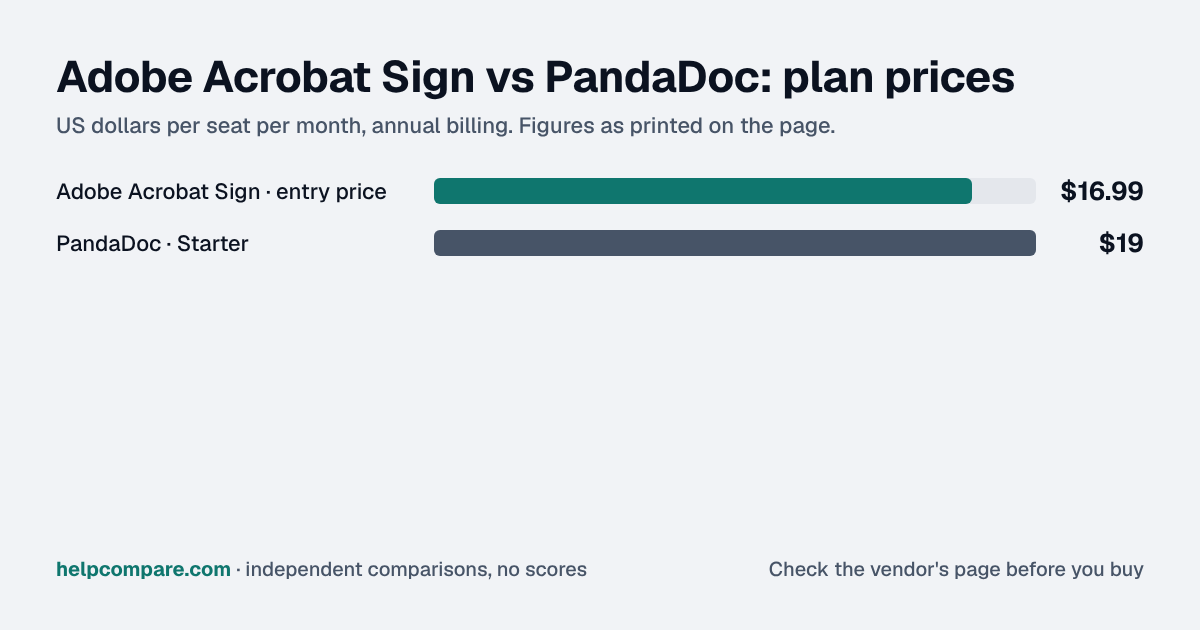
Adobe Acrobat Sign, by $2 a seat a month: $16.99 against PandaDoc Starter’s $19, both billed annually. PandaDoc’s free plan (5 eSignatures/mo, no card required) has no Adobe equivalent — Adobe offers no free e-signature tier, only its free view-only Acrobat Reader.
| Category | Adobe Acrobat Sign | PandaDoc |
|---|---|---|
| Entry price | Standard for teams $16.99/license/mo (annual) | Starter $19/seat/mo (annual), $29 monthly |
| Free plan | None — Reader (view-only) only | Free, 5 eSignatures/mo, up to 5 templates |
| PDF editing | Yes — edit text/images, organize/combine pages | Not real PDF editing — a document builder instead |
| Proposal/quote building | Not the core product | Drag-and-drop editor, content library, custom branding |
| CPQ / approval workflows | Not offered at this tier | Business tier ($49/seat/mo) adds approval workflows; CPQ is Enterprise-only |
| Billing commitment | Annual license commitment; early-cancellation fee applies | True monthly billing available, no commitment |
| Storage | 100GB cloud storage included | Not a core positioning point |
| Built for | Teams needing PDF editing plus e-signature | Teams building proposals, quotes and contracts as documents |
Verified September 23, 2026Prices recorded from each vendor’s own pricing page. See sources
Prices in USD from adobe.com/acrobat/plans.html and pandadoc.com/pricing, both checked September 23, 2026.
Editorial assessmentBoth let a document get signed, but they are built around different core jobs: Adobe around the PDF itself, PandaDoc around the document-creation workflow leading up to signature.
Adobe Acrobat Sign Standard for teams bundles real PDF editing — editing text and images, organizing and combining pages, filling and creating forms — with e-signature as one included capability. PandaDoc’s “editor” is a rich-media document builder for proposals and quotes, not a true PDF editor, but it adds templates, a content library, custom branding and (at Business tier) approval workflows that Adobe does not offer at a comparable price.
PandaDoc has a genuine free e-signature plan (5 documents/mo); Adobe’s only free offering is Acrobat Reader, which does not sign documents at all. PandaDoc also offers true month-to-month billing; Adobe requires an annual license commitment with an early-cancellation fee equal to half the remaining commitment.
Neither vendor publishes a dedicated importer for the other. PandaDoc does have a bulk-import feature specifically for DocuSign, but nothing equivalent was found for Acrobat Sign — moving either direction means manually recreating templates.
Adobe Acrobat Sign Standard for teams and PandaDoc Starter, both billed annually. Adobe requires an annual license commitment; PandaDoc offers true monthly billing as an alternative. Checked September 23, 2026.
You need real PDF editing (forms, organizing pages, combining documents) alongside e-signature, not just document workflow.
Your main job is building and sending proposals, quotes or contracts, and you want a free tier or month-to-month billing.
Uses your selections above. Estimate excludes add-ons, overages, and negotiated discounts.
PandaDoc’s free plan costs nothing to try. For Adobe, confirm the annual commitment and cancellation terms before signing up.
Yes, by $2 a seat a month: $16.99 against $19, both billed annually. PandaDoc has a free plan Adobe does not match.
No — its editor is a document/proposal builder, not a true PDF editor. Adobe Acrobat Sign bundles genuine PDF editing (text, images, page organization) alongside e-signature.
PandaDoc, with 5 free eSignatures a month and no card required. Adobe’s only free offering is Acrobat Reader, which is view-only and does not sign documents.
Not without a fee — Adobe’s plans require an annual commitment, and early cancellation costs half your remaining commitment. PandaDoc offers true month-to-month billing.
Step-by-step migration guides covering what transfers automatically, what doesn’t, and how to handle the gap — in both directions.
Every “best e-signature tool” listicle tells you why to buy. Here’s the other half: the specific conditions under which Adobe Acrobat Sign or PandaDoc is the wrong purchase for your team.
Buy Adobe Acrobat Sign if:
Do NOT buy Adobe Acrobat Sign if:
Buy PandaDoc if:
Do NOT buy PandaDoc if:
Every pricing fact, rating, AI billing model and switching guide we hold on each tool, on one page, with the date each figure was last verified.
Prices on this page were recorded from each vendor’s own pricing page on the date shown at the top of the page. Vendors change pricing often — check the live source before you buy.
Every figure is also in our open dataset (JSON and CSV, CC BY 4.0), with its source page and verification date. See how we research pricing.
Plain-language guides: the steps, what to check before you buy, common mistakes, and every tool it takes with verified prices.
Verified prices costed for your team size, a check against your must-have requirements, the questions to settle before you sign, and a source for every figure. Print it, or paste it into an email to whoever approves the spend.
Built for the leader who owns the selection, answers for the spend, drives the rollout, and lives with the results. HelpCompare covers the whole decision, not just the first step.