ClickUp is an all-in-one, highly configurable work platform; Trello is the simplest, most visual Kanban tool in the category. Here is what each costs and who outgrows which one.
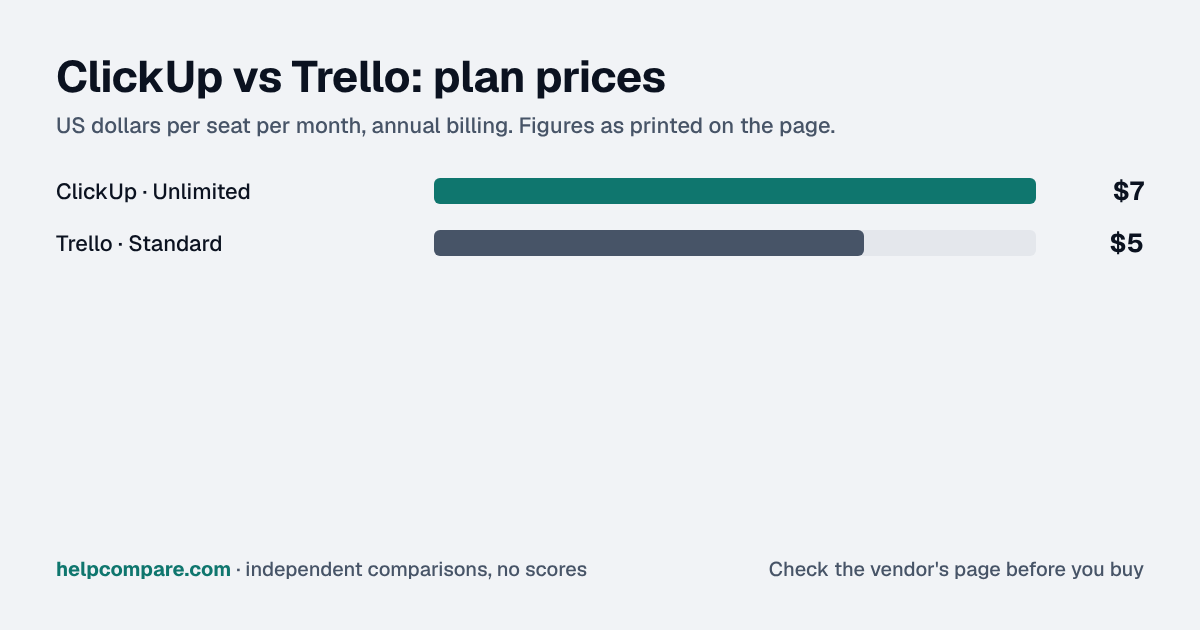
Choose Trello for the simplest, cheapest Kanban tool with the least setup; choose ClickUp if you want docs, time tracking, Gantt charts and dashboards built into the same platform. Trello Standard is $5/user/mo versus ClickUp Unlimited's $7/seat/mo, both billed annually.
| At a glance | ClickUp | Trello |
|---|---|---|
| Category | Project Management | |
| Entry price | Unlimited — $7/seat/mo (annual), $10 monthly | Standard — $5/user/mo (annual), $6 monthly |
| Free plan | Free Forever — unlimited members and guests, 60MB storage, unlimited tasks | Free — up to 10 collaborators per Workspace, unlimited cards, up to 10 boards |
Trello, by $2 a seat a month: $5 against ClickUp’s $7, both billed annually. At 10 seats that is $50 a month for Trello against $70 for ClickUp. Trello’s free plan is also less restrictive on collaborators (10 per Workspace) than ClickUp Free’s 60MB total storage cap, though ClickUp Free has no member limit.
| Category | ClickUp | Trello |
|---|---|---|
| Entry price | Unlimited $7/seat/mo (annual) | Standard $5/user/mo (annual) |
| Free plan | Unlimited members/guests, 60MB storage | Up to 10 collaborators per Workspace, 10 boards |
| Built for | All-in-one work platform: docs, chat, dashboards, time tracking | Simple, visual Kanban boards |
| Gantt charts | Included on Unlimited | Not native — Premium adds Timeline view |
| Native time tracking | Included on Unlimited | Not included |
| AI | Add-on: Brain AI $9/user/mo, Everything AI $28/user/mo | Included on Standard |
| Import from the other tool | Native Trello importer (boards, lists, cards, attachments) | No native ClickUp importer |
| Learning curve | Steeper — many configurable views and features | Minimal — fastest to onboard |
Verified September 23, 2026Prices recorded from each vendor’s own pricing page. See sources
Prices in USD from clickup.com/pricing and trello.com/pricing, both checked September 23, 2026.
Editorial assessmentBoth organize work into boards, lists and cards, but they sit at opposite ends of the configurability spectrum.
ClickUp bundles docs, whiteboards, chat, native time tracking, goals and dashboards alongside its task views — it aims to replace several separate tools. Trello stays deliberately narrow: a Kanban board with Power-Ups (third-party and native add-ons) for anything beyond the basics, which keeps it fast to learn but thinner on built-in capability.
Trello includes AI features on its Standard plan at no extra charge. ClickUp’s AI (“Brain”) is a separate add-on starting at $9/seat/mo, rising to $28/seat/mo for its “Everything AI” tier — a real cost difference if AI features matter to your evaluation.
ClickUp has an official, native Trello importer (Workspace Settings → Import/Export → Trello) that pulls boards, lists, cards and attachments where the Trello API allows, mapping members by email and turning Trello lists into ClickUp statuses. There is no equivalent tool for importing ClickUp data into Trello — that direction is a manual rebuild.
Standard list prices, both billed annually, checked September 23, 2026. ClickUp’s AI features are a separate add-on not included in the price shown. Promotions and taxes are not included.
You want one tool to replace docs, chat, time tracking and dashboards, or you are moving off Trello and want a native importer.
You want the simplest, cheapest Kanban tool with the least setup, or you want AI features included without an add-on.
Uses your selections above. Estimate excludes add-ons, overages, and negotiated discounts.
Both publish a genuine free plan. Move one real project into each and see which your team actually keeps using.
Trello is $2 a seat cheaper: $5/user/mo against ClickUp’s $7/seat/mo, both billed annually.
Yes — ClickUp has a native Trello importer that pulls boards, lists, cards and attachments (where the Trello API allows) and maps members by email address.
Not natively. Trello Premium adds a Timeline view, but ClickUp’s Gantt charts on its Unlimited plan are more full-featured.
On Trello, yes, on the Standard plan. On ClickUp, AI is a separate add-on starting at $9/seat/mo.
Step-by-step migration guides covering what transfers automatically, what doesn’t, and how to handle the gap — in both directions.
Every “best project management tool” listicle tells you why to buy. Here’s the other half: the specific conditions under which ClickUp or Trello is the wrong purchase for your team.
Buy ClickUp if:
Do NOT buy ClickUp if:
Buy Trello if:
Do NOT buy Trello if:
Every pricing fact, rating, AI billing model and switching guide we hold on each tool, on one page, with the date each figure was last verified.
Prices on this page were recorded from each vendor’s own pricing page on the date shown at the top of the page. Vendors change pricing often — check the live source before you buy.
Every figure is also in our open dataset (JSON and CSV, CC BY 4.0), with its source page and verification date. See how we research pricing.
Plain-language guides: the steps, what to check before you buy, common mistakes, and every tool it takes with verified prices.
Verified prices costed for your team size, a check against your must-have requirements, the questions to settle before you sign, and a source for every figure. Print it, or paste it into an email to whoever approves the spend.
Built for the leader who owns the selection, answers for the spend, drives the rollout, and lives with the results. HelpCompare covers the whole decision, not just the first step.