A polished, standalone chat tool you pay for directly vs. a bundled app most Microsoft 365 customers already have. Here is the real cost comparison.
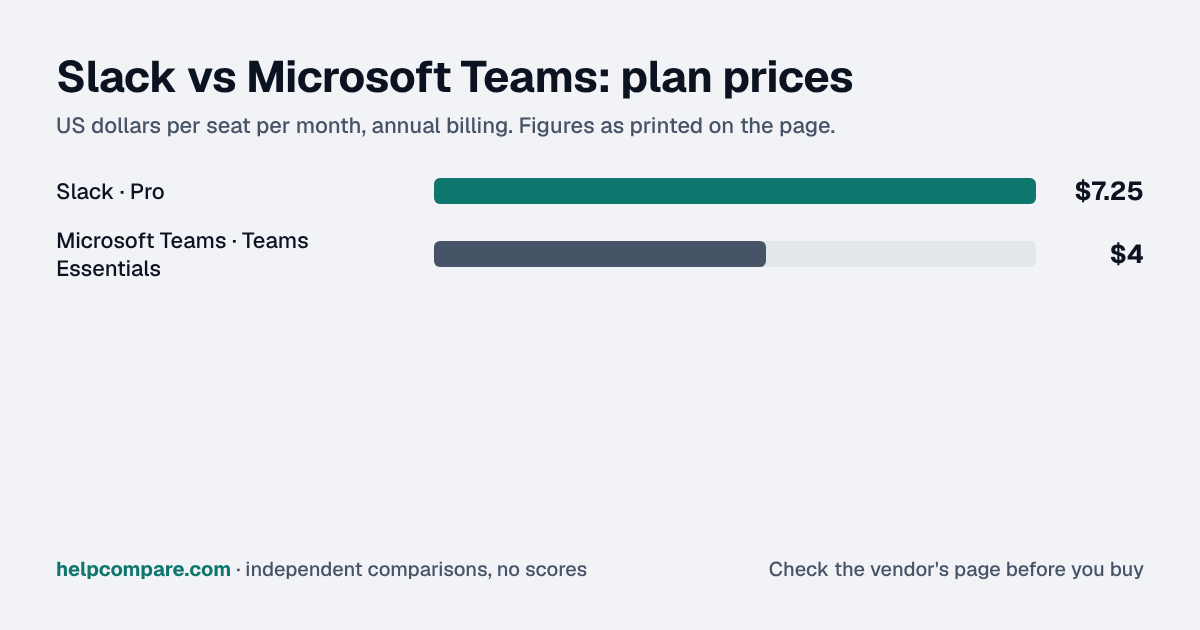
If your Microsoft 365 plan already includes Teams, Slack is a second bill for chat you own, and even standalone, Teams Essentials ($4 a user a month, paid yearly) undercuts Slack Pro ($7.25 a seat, annual).
Slack earns its premium with search and Slack Connect for shared channels with clients and partners. The mistake I'd avoid is running both. Two chat tools means every decision lives in one of two places, nobody searches both, and people drift back to whichever app their manager answers in, so you pay for Slack and still work in Teams. If you buy Slack, make it the only home for internal chat, say so in writing, and have leadership post there first. If you can't commit to that, use what Microsoft 365 already gives you.
My read of the verified data on this page, checked against vendor sources on September 12, 2026. Disagree or spot an error? Tell Bill
| At a glance | Slack | Microsoft Teams |
|---|---|---|
| Category | Team Communication | |
| Entry price | From $7.25/seat/mo | From $4/user/mo (Teams Essentials) |
| Free plan | Yes, 90-day message history | Yes, 60-minute group meeting cap |
Slack is priced at From $7.25/seat/mo and Microsoft Teams at From $4/user/mo (Teams Essentials). See the full breakdown below for what is included at each tier.
| Category | Slack | Microsoft Teams |
|---|---|---|
| Free plan | Yes, 90-day message history | Yes, 60-minute group meeting cap |
| Standalone entry price | $7.25/seat/mo (Pro, annual) | $4/user/mo (Teams Essentials, paid yearly) |
| Cost if already on Microsoft 365 | N/A — not bundled | $0 marginal (included in Business Basic/Standard) |
| Top tier | $15/seat/mo (Business+) | Enterprise — custom, via M365 licensing |
| AI | Bundled into paid tiers (Business+ for advanced AI) | Copilot add-on, $18/user/mo paid yearly (promotional; regular price $21) |
| External guest collaboration | Slack Connect — mature, widely used | Improving, historically clunkier |
| Ecosystem/integrations | Broad App Directory + Salesforce ties | Deep Microsoft/Office 365 integration |
| 2025 regulatory change | Triggered the original EU antitrust complaint | EU forced unbundling from Office/M365 (Sept 2025) |
| UX/search reputation | Consistently praised for polish and search | Described by some reviewers as “bundled/bloated” |
Verified September 12, 2026Prices recorded from each vendor’s own pricing page. See sources
From our original research
Our B2B SaaS Sticker Shock Index found Slack holds the cheapest published entry price in the Team Communication category at $7.25/seat/mo. Scaled to a 10-person team in our Startup Stack Cost calculator, that’s $72.50/mo for Slack versus $40.00/mo for Microsoft Teams, nearly double, seat-for-seat. Our AI Tax report also found Slack discontinued a paid AI add-on entirely in the past year, one of the few vendors we track moving an AI price down instead of up.
This comparison comes down to one question: are you already paying for Microsoft 365? If yes, Teams is effectively a $0 marginal add; it’s included in Business Basic ($7/user/mo, paid yearly) and Business Standard with Copilot ($23.50/user/mo, paid yearly), so buying Slack on top means paying twice for overlapping functionality. If you’re not on Microsoft 365, Teams Essentials stands alone at $4/user/month (paid yearly), still cheaper than Slack’s $7.25 Pro tier.
Slack’s standalone cost is real, and it climbs: Pro is $7.25/user/month annual (or $8.75 monthly), Business+ is $15/user/month annual and adds advanced AI search, recaps, and translation. In August 2025, Slack discontinued its separate “Slack AI” add-on and folded basic AI features into paid tiers instead; existing add-on customers keep it only until their next renewal.
The EU forced Microsoft to unbundle Teams from Office/M365 as of September 11, 2025, following a Slack-triggered antitrust complaint that dates back to 2020, and the result gives EU customers unbundled pricing options and improved data portability going forward.
Illustrative estimate based on publicly listed pricing as of September 2026. Always confirm current rates before purchasing.
You’re not on Microsoft 365 (or don’t want to be), and you value Slack’s interface, search, and integration ecosystem enough to pay for it directly.
You’re already paying for Microsoft 365: Teams is effectively free, deeply integrated with Office, and hard to justify paying extra to replace.
Uses your selections above. Estimate excludes add-ons, overages, and negotiated discounts.
Both offer a free tier. See current pricing directly from the source.
How Slack and Microsoft Teams compare on compliance reports, sign-in controls, offline access and the setup details that matter for remote, hybrid and in-office teams. Every value links to the vendor page it came from.
| What we checked | Slack | Microsoft Teams |
|---|---|---|
| Security & compliance | ||
| SOC 2 report | SOC 2 Type IIsource | SOC 2 Type IIsource |
| ISO/IEC 27001 | Certifiedsource | Certifiedsource |
| Other certifications | ISO/IEC 27017, ISO/IEC 27018, ISO/IEC 27701, ISO/IEC 42001, SOC 3, CSA STAR (registry listing), FedRAMP Moderate, TISAX, IRAP, ISMAP, C5, ENS High, Korea CSP Safety Assessment, FINRA 17a-4 configurablesource | ISO/IEC 27017, ISO/IEC 27018, ISO/IEC 27701, SOC 1source |
| HIPAA (BAA) | BAA availableEnterprisesource | BAA availablesource |
| GDPR data processing agreement | DPA offeredsource | DPA offeredsource |
| Single sign-on (SAML/OIDC) | YesBusiness+source | Yessource |
| SCIM user provisioning | YesBusiness+source | Not published |
| Two-factor authentication | YesEnforcement: Free (available on all plans)source | YesEnforcement: Microsoft Entra ID Free (security defaults)source |
| Admin audit log | YesEnterprisesource | Yessource |
| Data residency choices | US, Germany, France, SE, Switzerland, Japan, India, Singapore, South Korea, Australia, UK, Canada, BrazilBusiness+source | Australia, Brazil, Canada, France, Germany, India, IT, Japan, NO, PL, QA, South Korea, South Africa, SE, Switzerland, UAE, UK, Americas, APAC, EMEAsource |
| Encryption | Encrypted at rest and in transit by default; optional customer-managed keys via Slack EKMsource | TLS 1.2+ with AES-256 in transit; BitLocker plus per-file encryption at rest; optional end-to-end encryption and Customer Keysource |
| Self-hosting option | Not published | Not published |
| Offline access | ||
| Offline mode | Not documented | Not documented |
| Desktop apps | Windows, macOS, Linuxsource | Windows, macOSsource |
| Mobile apps | iOS, Androidsource | iOS, Androidsource |
| Remote, hybrid & in-office | ||
| IP allowlisting | Not published | YesMicrosoft Entra ID P1 (included in Microsoft 365 Business Premium)source |
| Device & session controls | YesFreeBlock desktop/mobile file downloads (desktop downloads can be limited to allowed IP ranges) and mobile message copying on all plans; session duration controls; EMM-managed mobile device requirement on Enterprise Grid/Enterprise+.source | YesMicrosoft Entra Conditional Access policies apply to Teams sign-ins (device compliance, location); Intune mobile application management; Conditional Access requires Entra ID P1.source |
| Office & room hardware | — | Microsoft Teams Rooms turn meeting spaces from huddle areas to large conference rooms into one-touch-join Teams rooms, sold as Windows and Android devices from partners.source |
We mapped out exactly what transfers automatically and what you will need to rebuild by hand, in both directions.
Slack is a business messaging app used for team communication through channels, direct messages, and app integrations.
Microsoft Teams is a chat, meetings, and collaboration hub bundled with Microsoft 365 for business communication and file sharing.
Slack starts at $7.25/seat/mo (Pro, annual), while Microsoft Teams starts at $4/user/mo (Teams Essentials, paid yearly). For most companies already paying for Microsoft 365, Teams costs nothing extra and is the pragmatic default.
Slack’s free plan: Yes — 90-day message history. Microsoft Teams’s free plan: Yes — basic chat/meetings.
You’re not on Microsoft 365 (or don’t want to be), and you value Slack’s interface, search, and integration ecosystem enough to pay for it directly.
You’re already paying for Microsoft 365: Teams is effectively free, deeply integrated with Office, and hard to justify paying extra to replace.
See the full Team Communication hub for more comparisons, including four separate Zoom match-ups.
Every pricing fact, rating, AI billing model and switching guide we hold on each tool, on one page, with the date each figure was last verified.
Prices on this page were recorded from each vendor’s own pricing page on the date shown at the top of the page. Vendors change pricing often — check the live source before you buy.
Every figure is also in our open dataset (JSON and CSV, CC BY 4.0), with its source page and verification date. See how we research pricing.
Cite this page: HelpCompare, “Slack vs Microsoft Teams”, helpcompare.com/slack-vs-microsoft-teams/ (updated ).
Source links on this site are checked every month; last check . How sources are checked.
Plain-language guides: the steps, what to check before you buy, common mistakes, and every tool it takes with verified prices.
Verified prices costed for your team size, a check against your must-have requirements, the questions to settle before you sign, and a source for every figure. Print it, or paste it into an email to whoever approves the spend.
Built for the leader who owns the selection, answers for the spend, drives the rollout, and lives with the results. HelpCompare covers the whole decision, not just the first step.